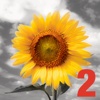
iSplash 2 - New Color Burst Photo Editor
by T-bone, LLC
v1.1
·
Updated 1 month ago
·
9.84 Mb
·
Released Nov 2013
Key Features
🖼️
Photo Editing
🤖
AI Powered
📸
Screen Capture
✂️
Crop & Resize
🎨
Drawing & Paint
📤
Export & Share
About iSplash 2 - New Color Burst Photo Editor
Just when you didnt think it could get any better -
----------------------------
LAUNCH SPECIAL 75% OFF FOR A LIMITED TIME - ONLY!
GET IT BEFORE THE PRICE GOES UP.
----------------------------
The Sequel to the popular Top Selling App iSplash is here! So express your creative with the iSplash2 app!
Packed and loaded with features, here are some highlights below
Features
1. Load Image
2. Recent image
3. Import Image
4. Save
5. Share - via Facebook, Twitter, Flickr, Email, etc
6. Color spray
7. Grey spray
8. Color drop
9. Color pallet -Square
10. Color pallet -circle
11. Crop
12. Zoom
12.1 Zoom in
12.2 Zoom Out
13.1 Undo
13.2 Redo
14. Image size
14.1 Fit to screen
14.2 Actual Size.
15. Compare
16. Mask
16.1 Invert Mask
16.2 Snow mask
16.3 Clear Mask
17. Brush
17.1 Color Layer
17.1.1 Brightness
17.1.2 Contrast
17.1.3 Blur
17.1.4 Saturation
17.1.5 Hue
17.1.6 Exposure
17.1.7 Softness
17.1.8 Diameter
17.2 Greyscale
17.2.1 Greyscale
17.2.2 Sepia
17.2.3 Blue-tone
17.2.4 Brightness
17.2.5 Contrast
17.2.6 Blur
17.2.7 Amount
17.3 Diameter
17.4 Softness
17.5 Opacity
17.6 Angle
17.6 Revert
18. Pan
19. Many, Many more
Look at the screenshots and see for yourself!
Beautifully modify your pictures and create bold images that pack a punch!